Maximum Zoom APK Download
Latest Version For Android 2026
Maximum zoom is an application designed to deliver results that go beyond the capabilities of a standard camera. Sometimes mobile phone cameras fail to perform well when zooming, resulting in images that appear distorted or blurry. In contrast this application helps capture images of distant objects that render them clear and sharp including solving the challenge of photographing subjects from afar.
What is Maximum Zoom Apk?
Maximum zoom apk is a specialized application designed for Android that functions as a camera tool, enhancing digital zoom performance on any Android device. The primary objective behind its development was to improve the zoom experience through software. It does not alter the phone’s physical camera lens rather, it leverages its own features to optimize digital zoom.
As a result the distant objects appear closer rendered with clarity and aesthetic appeal. The app offers an excellent user experience. Although it does not utilize any external physical lenses it delivers high quality imagery comparable to what one might expect from specialized camera hardware. Furthermore it incorporates support for front facing lenses. Please note that results may vary depending on the specific hardware of your device.
Maximum Zoom APK Details (Latest Version)
| APP Name | Maximum Zoom |
| Package Name | Maximum Zoom APK |
| Category | Photography |
| Version | v1.0.18 |
| Size | 17.5 MB |
| Requires Android | 4.1 and up |
| Last Updated | Today |
Features of Maximum Zoom Apk
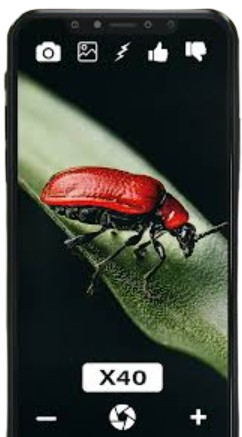
This app has been expertly designed incorporating modern features and AI, and has gained widespread popularity. It boasts numerous significant features. We will highlight a few of its key attributes.
High Precision Zoom
This app enhances the zoom range of a users device camera that allows them to view distant objects more clearly effectively bringing them “closer. While it does no longer regulate the underlying hardware specifications it offers photographs in a miles clearer and more strong manner that offers an progressed viewing experience. In turn boosts user engagement and strengthens believe inside the app.
Digital Magnifier
The application’s magnified mode helps in reading text that cannot be discerned by the naked eye such as dates found on various documents, reports, product packaging or medication labels which are often difficult to read due to their small print. With its advanced features this application proves extremely useful for the elderly and anyone else who struggles to read small sized text.
Smart Autofocus
This utility functions controls that decorate photo clarity at the click of a button. When you zoom in on an object, it remains clean and solid.
This process eliminates blurriness, resulting in a sharp, overall presentation. Unlike other applications, zooming here does not degrade image quality; instead, it presents the image with even better quality than the original. It is a great feature of this Apk.
Image Lighting Control
The App permits customers to modify brightness and comparison in line with their possibilities. This function is specially useful in low light environments that enable you to view gadgets more sincerely and determine their information even if lighting is bad. It offers outstanding control over brightness and assessment that gets rid of the want for extra external lighting.
Easy Usage
This software is specifically designed for customers who discover it difficult to study or view historical content material. It functions a simple interface and a clean layout that makes it clean for any consumer to navigate.
. Furthermore accessing its various sections is highly intuitive ensuring that users do not encounter any confusion. This simple interface is a major factor in its popularity which continues to grow day by day.
HD Zoom Technology
High resolution zoom quality is another key feature of this application, allowing users to zoom in on any blurry or indistinct image by up to 150 times to view it clearly. This advanced capability helps users observe distant objects or minute details that would otherwise be invisible to the naked eye. This enhances user comfort and boosts confidence of the users. It brings even very distant objects much closer.
Image Stabilization
While other applications often cause shakiness in the image when zoomed in significantly, this application is built with a stabilization tool; consequently, there is no shakiness even at high zoom levels. This means that the image remains perfectly clear and sharp, even when zoomed in to the maximum extent. It is precisely these features that make it superior to other zooming applications.
HD Image Capture
With the Maximum Zoom APK, you can magnify any image and save it directly to your mobile device. The application allows you to save magnified images in the quality of your choice, a feature that sets it apart from other zooming apps, which typically lack this capability. You can zoom into an image as much as you like and save it to your Android device in HD quality.
Clear Vision in Darkness
The app performs properly under various lights conditions. Users can manually regulate the brightness, growing or reducing it to suit your specific needs. There is not any need to installation more or useless lighting as the app can provide splendid outcomes even in low light environments. The Apk ensures that objects remain clear and distinct, maintaining your confidence in the results.
Zero Ads
One aspect of the Maximum Zoom app that users particularly appreciate is the complete absence of advertisements. Unlike other similar apps where the user experience is often compromised by ads here you can take full advantage of all the features without any interruptions. The app has been designed with a zero ads approach. Frequent interruptions in the form of ads lead to a waste of time.
Pro and Premium Options
While you can down load this app totally free, we also offer Pro and Premium versions that consist of additional capabilities together with advanced stabilization for both pix and videos, expanded zoom alternatives, and exceptional filters. You can download the fundamental model for free of charge, however the Pro and Premium versions require charge; those variations include advanced features that supply superior consequences.
How to Install Maximum Zoom APK?
Installing this application is very simple and straightforward; even new users can easily install and use it.
- First, go to your mobile phone settings and open the Security or Privacy section.
- Enable the option for Unknown Sources to allow the application to be downloaded and installed.
- Locate the downloaded APK file in your file manager and select the ‘Install’ option.
- Wait for the installation process to complete.
- Open the app and grant the necessary camera permissions.
- For better security it is recommended to disable the ‘Unknown Sources’.
How to Use the Maximum Zoom APK?
Getting started with the app is quick, simple and convenient:
- Launch the application on your Android device.
- Grant the necessary camera permissions to activate the zoom features.
- Use the smooth zoom slider to magnify gadgets and examine remote information greater truly.
- Point your digital camera closer to the item you want to observe and regulate the focus for a clearer view.
- Increase or lower brightness to enhance visibility in distinct lighting fixtures situations.
- Zoom in or out to have a look at objects, text, and distant scenes with more comfort.
- Use the consumer pleasant interface to get right of entry to functions, adjust settings and manipulate your viewing enjoy effects.
Alternative to Maximum Zoom APK
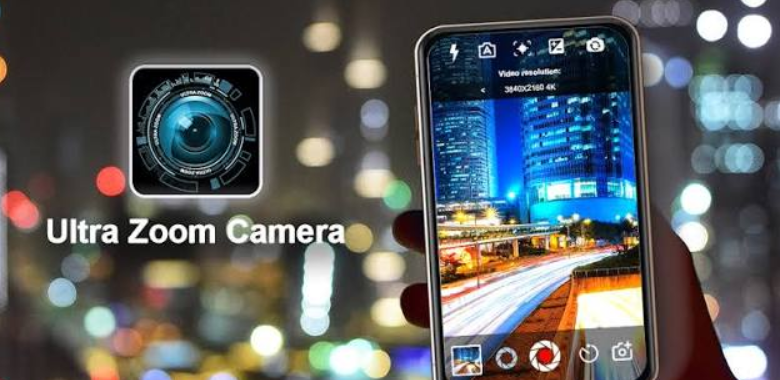
Ultra Zoom Camera HD
Ultra Zoom Camera HD provides a convenient way to magnify distant objects and capture detailed images using your smartphone camera. With advanced digital zoom including smart autofocus brightness adjustment and image stabilization. Users can enjoy a smooth and flexible viewing experience. Its simple interface makes zooming and capturing photos easy for everyone.
Super Magnifier Camera
Super Magnifier Camera transforms your smartphone into a handy digital magnifying tool for viewing small objects, tiny details and hard to read text. It offers adjustable magnification including automatic focus and flashlight support and image capture features. Its user-friendly design makes everyday magnification simple, practical and convenient.
Extreme Zoom Camera
Extreme Zoom Camera helps users get closer to distant subjects with powerful digital magnification and customizable camera settings. It includes precision focus control including HD photo capture and anti-shake support for a better viewing experience. Whether exploring distant scenes or capturing detailed subjects the app provides easy to use zoom controls.
Night Vision Zoom Camera
Night Vision Zoom Camera was created with the aim of enhancing camera vision in poorly lit areas using customizable brightness digital zoom and low-light enhancing technology. There are customizations like night filters, focus, and flashlight adjustments available for users. Its straightforward interface makes nighttime photography and low light viewing more convenient.
Smart Zoom Magnifier
Smart Zoom Magnifier offers a simple and flexible way to enlarge objects and explore details through your smartphone camera. With smart zoom technology with high resolution previews including intelligent autofocus, contrast adjustment and image freeze options. Users can customize their viewing experience effortlessly. Its modern interface and easy controls make it suitable for everyday magnification needs.
Is It Safe to Install Maximum Zoom?
Yes, it is safe and secure to download and install this application from any reliable source. There is no risk of any kind of data leakage; it has been designed with due regard for personal privacy.
Reasons it’s safe:
- It only needs basic camera permissions.
- Does not need many other permissions.
- It has a basic working procedure with no hidden actions involved.
- To protect yourself:
- Download it from a trustworthy source.
- Use an antivirus program.
- Don’t grant more permissions than necessary.
- Keep your Android OS updated.
- While it’s always good to exercise caution when downloading APK files.
Why Only Maximum Zoom?
Many camera apps are available, but maximum zoom does so for a few reasons:
- The Application provides an unrivaled level of zoom, which other apps do not.
- The Apk is for everyone who doesn’t require great tech skills.
- Developers frequently update it with every new release.
- It has a feature that you’ll find in professional cameras, but it’s free.
Tips for Using Maximum Zoom
To achieve the best results from this app, here are some tips.
- Keep your device steady. Also, at high zoom levels, shake is more clear. Use a tripod or put your device on a solid surface.
- Take care with focus at all times. At high zoom levels, even the smallest of movements will blur your subject.
- Good light is key to clear images, also when you zoom in.
- Don’t worry about trying out. Play with different zoom levels and subjects. Practice makes perfect
Issues and Solutions
App Not Installing
Solution:
- Go into your mobile settings and enable ‘Unknown Sources.
- Ensure that your Android device meets the requirements needed for the application.
- Ensure that the APK file is not corrupted.
Blurry Zoom
Solution:
- Hands should always remain steady
- There must be good lighting and you need to focus properly.
- In case the quality becomes bad, the zoom must be lowered.
App Crashing
Solution:
- In order to prevent your app from crashing, clean its cache.
- Reboot your cell phone or Android gadget.
- Check for updates; update if available.
Camera Not Working
Solution:
- Grant the camera permission.
- Disable other camera applications that may be open in the background.
- Restart the device.
Dark Screen
Solution:
- Increase brightness inside the app.
- Use proper lighting conditions.
Pros and Cons
Pros
✅ The application has an easy-to-use interface for all users.
✅ It enables zooming-in on far-off objects through digital zooming.
✅ The application can adjust the brightness.
✅ The application uses smart autofocus for better images.
✅ The magnification tool to view small objects or text.
✅ Smooth zoom controls for convenient operation.
✅ Ability to capture and save magnified photos.
✅ Its customizable camera settings for a better viewing experience.
Cons
❌ Its High digital zoom may reduce image quality.
❌ Its performance depends on smartphone camera hardware.
❌ Low light conditions may affect image clarity.
❌ Extended camera usage may consume more battery power.
Frequently Asked Question
The app may offer free access to its basic zoom and magnification features. Availability of additional features depends on the app version.
The application uses your phone camera and digital zoom technology to enlarge objects and provide a closer view of distant subjects.
Yes, if photo capture is supported in your version you can take pictures and save them to your device.
The app can support automatic focus controls that depend on your device camera capabilities and the installed version.
Yes, you can adjust brightness and use flashlight support if available to improve visibility in darker environments.
Compatibility depends on your Android version including camera hardware and the application minimum system requirements.
Yes, for better security download the application from a trusted source, review its requested permissions and avoid modified or suspicious files.
Yes, you can use the zoom slider to increase or decrease magnification according to your viewing needs.
Basic camera and magnification features generally work offline although certain additional features may require an internet connection.
Yes, the magnifier feature can help enlarge small text documents and other details that make them easier to view.
Conclusion
Maximum Zoom is an Android application that has been designed in a simple and easy way to be extremely useful. It has often been seen that the camera capabilities of Android phones are insufficient, which makes it difficult to see distant objects clearly and clearly, and the image quality also deteriorates. This application solves this problem by improving the zoom end, thanks to which you can see distant objects. Additionally, its magnifier feature proves helpful for reading fine print.
Making it an excellent tool for the elderly or those with impaired vision to easily overcome this challenge. It places minimal strain on the device’s RAM, making it an ideal choice for those looking to explore and utilize technology further. While this app enhances digital zoom, it does not alter the inherent hardware quality of your phone’s camera. Therefore, always download the APK from a reliable source to upgrade your Android phone’s zooming and magnification capabilities, ultimately making your daily tasks much easier and more convenient.